The Basics of Python Programming for Beginners
Python is a high-level programming language known for its simplicity, readability, and versatility. It has gained immense popularity among programmers and developers due to its clean syntax and a vast library of modules and frameworks that make it suitable for various applications, including web development, data analysis, artificial intelligence, and scientific computing. If you are a beginner and eager to learn the fundamentals of Python, then you are in the right place. In this article, we will take you through some of the key concepts of Python that will help you understand the language better and get you started with your coding journey.
- Getting Started with Python
- Python Syntax and Variables
- Data Types and Data Structures
- Control Flow: Conditional Statements
- Loops: Repeating Tasks Efficiently
- Functions: Organizing Code into Reusable Blocks
- Working with Input and Output
- Handling Errors and Exceptions
- Introduction to Python Libraries and Modules
- Writing and Running Your First Python Program
- Next Steps: Building on Your Python Skills
- More Related Topics
Getting Started with Python
Before you dive into the world of Python programming, it is essential to set up your development environment. You can use an Integrated Development Environment (IDE) such as PyCharm or Visual Studio Code, which provides you with a convenient and user-friendly interface to write, test, and debug your code. You can also use a text editor like Notepad++ or Sublime Text if you prefer a more minimalistic approach. Once you have your editor or IDE ready, you can create a new file with a .py extension and start writing your first Python program.

Python Syntax and Variables
Python has a simple and intuitive syntax, making it easy to read and write code. Python code is executed line by line, and each line should end with a newline character. Python uses indentation to define code blocks, so it is crucial to maintain consistent indentation throughout your code. To store data, Python provides variables that can hold values of different data types, such as integers, floats, strings, and booleans. You can declare a variable by assigning a value to it using the = operator. For example, x = 5 creates a variable named x and assigns the integer value 5 to it.
Data Types and Data Structures
Python has several built-in data types, including integers, floats, strings, and booleans. You can use the type() function to determine the data type of a variable. In addition to these basic data types, Python also has several powerful data structures, such as lists, tuples, sets, and dictionaries. Lists are ordered collections of elements that can be of different data types. Tuples are similar to lists, but they are immutable, which means their values cannot be changed. Sets are unordered collections of unique elements, and dictionaries are key-value pairs that provide a fast way to access and store data.
Control Flow: Conditional Statements
Conditional statements in Python allow you to execute different blocks of code based on a condition’s truth value. The most common conditional statements in Python are if, elif, and else. The if statement is used to check if a condition is true, and if it is, it executes a block of code. The elif statement is used to check for additional conditions, and the else statement is used to execute a block of code if none of the previous conditions are true. You can use comparison operators such as ==, !=, <, >, <=, and >= to compare values in your conditions.
Loops: Repeating Tasks Efficiently
Loops in Python allow you to execute a block of code repeatedly based on a condition. The two main types of loops in Python are for loops and while loops. For loops are used to iterate over a sequence of elements, such as a list, tuple, or string, and execute a block of code for each element. While loops are used to execute a block of code repeatedly until a condition becomes false. You can use the range() function to generate a sequence of numbers to iterate over in a for loop.
Functions: Organizing Code into Reusable Blocks
Functions in Python are reusable blocks of code that perform a specific task. You can define a function using the def keyword, followed by the function name and a set of parentheses. You can pass arguments to a function inside the parentheses, and the function can return a value using the return statement. Functions help you organize your code, make it more readable, and reduce redundancy.
Working with Input and Output
Python provides several functions to work with input and output. The input() function allows you to accept input from the user, and the print() function is used to display output to the console. You can use string formatting to include variables in your output strings. Python also provides several functions to work with files, such as open(), read(), write(), and close(). You can use these functions to read and write data to and from files.
Handling Errors and Exceptions
Errors and exceptions in Python occur when your program encounters an unexpected condition. Python provides several built-in exceptions that are raised when an error occurs, such as TypeError, ValueError, and ZeroDivisionError. You can handle exceptions in your code using the try-except block. The try block contains the code that may raise an exception, and the except block contains the code that handles the exception. You can also use the finally block to execute code, whether an exception is raised or not.
Introduction to Python Libraries and Modules
Python provides several built-in libraries and modules that you can use to perform various tasks, such as working with files, strings, and numbers. You can also use third-party libraries and modules that provide additional functionality, such as working with web APIs, machine learning, and data analysis. To use a library or module, you need to import it using the import statement.
Writing and Running Your First Python Program
Now that you have learned the basics of Python, it’s time to write your first Python program. A simple Python program that you can start with is a calculator that performs basic arithmetic operations. You can create a new Python file and start by declaring some variables to store the numbers and the operator. You can then use if-else statements to perform the arithmetic operation based on the operator entered by the user. Once you have written your code, you can save the file and run it using your IDE or editor.
Next Steps: Building on Your Python Skills
Python is a versatile language that can be used for a wide range of applications. Once you have mastered the basics of Python, you can start exploring more advanced concepts such as object-oriented programming, working with databases, and web development. You can also start working on projects to gain practical experience and improve your skills. There are several online resources and communities that you can use to learn more about Python and connect with other Python developers.
 Big O Notation Explained for Beginners
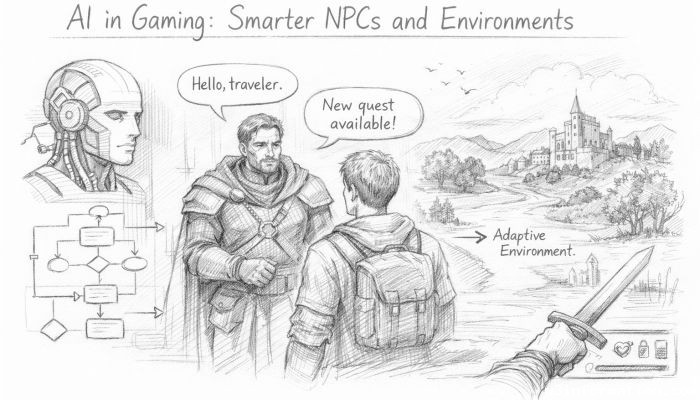 AI in Gaming: Smarter NPCs and Environments
 Understanding Bias in AI Algorithms
 Introduction to Chatbots and Conversational AI
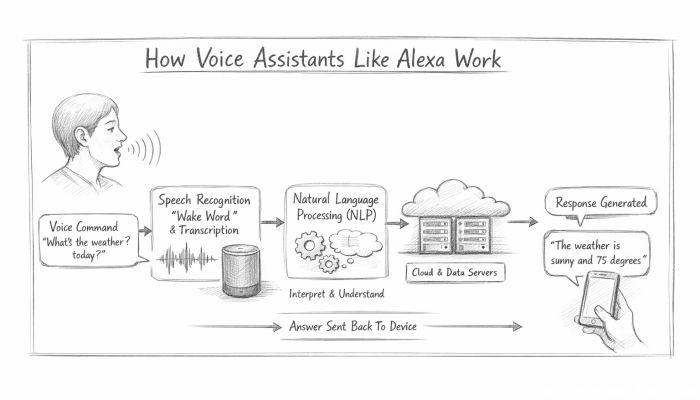 How Voice Assistants Like Alexa Work
 Federated Learning: AI Without Sharing Data