A Guide to Building a Personal Portfolio Website
In the digital age, a personal portfolio website is no longer a luxury—it’s a necessity. Designers, developers, writers, photographers, marketers, and students are turning to portfolio websites as the primary way to introduce themselves to the world and potential clients. A personal portfolio website is more than just a digital resume: it’s your digital identity. It represents who you are, what you do, and why people should care. But how do you build a website that’s both professional and personal, that stands out in the crowd and truly feels human?
Whether you’re an expert designer or a beginner with limited tools, in this comprehensive guide we’ll walk you through each step of creating a portfolio website that tells your story in a clear, authentic, and impactful way. From defining your website’s purpose to sharing your work, we’ll cover everything you need to build a portfolio that looks great, performs well, and feels like you. So let’s get started on the journey of crafting a website that truly represents who you are as a professional and as a person.
Defining the Purpose of Your Personal Portfolio Website
Before we jump into design, platforms, and showcasing your work, let’s take a step back to identify the fundamental reason your portfolio website exists. Having a clear sense of purpose is essential to creating a website that both reflects who you are and resonates with your target audience. The most common motivations for building a personal portfolio website include:
Attracting clients or projects
Showcasing creative work
Supporting a job application or career change
Establishing personal brand or credibility
Educational purposes

Networking or finding collaborators
The more specific your primary reason is, the easier it will be to make effective design and content decisions that reinforce your goal. Remember: your portfolio website is more than a place to post your work. It’s a narrative tool that communicates who you are, what you do, why it matters, and who should care.
Identify your target audience
If a portfolio website is a form of communication, then your target audience is the group of people you want to reach. To create a more impactful portfolio, you need to be clear about who you are designing it for. Some key questions to consider:
Who are you trying to reach with your portfolio? Potential employers, clients, collaborators, peers, educators, or recruiters?
What problems do they face that your work can solve?
What tone and aesthetics do they respond to in a portfolio?
Understanding your ideal audience will help you choose an appropriate tone of voice, visual style, and portfolio structure. A junior developer will have different needs than a creative director, for example. Aligning with the expectations of your target visitors ensures that your portfolio will make the most powerful impression.
Choose the right platform and tools
There are two basic options for building your portfolio website: from scratch using coding tools or on a platform using a website builder. Which one is best for you depends on your technical skills, goals, and available resources. Let’s look at each approach.
Building from scratch: This approach is often favored by web developers and designers who want complete control over their site. Popular code-based languages and frameworks include HTML/CSS, JavaScript, Python, Ruby on Rails, and React. Of course, this option requires time and technical skill.
Website builders: The alternative is to use a website builder like WordPress, Webflow, Wix, or Squarespace. These offer a variety of templates, drag-and-drop interfaces, and customization tools that let you create a professional portfolio without coding experience. Platform choice will depend on your preferences for flexibility, ease of use, support, and scalability.
Structuring Your Portfolio Website for Clarity
A portfolio website’s structure determines how users experience and interact with the content. By implementing a clear and intuitive layout, you guide visitors through your site in a logical way while making it easy for search engines to crawl your pages. This section will walk you through the most effective structure for a personal portfolio website, as well as principles for optimal navigation and usability.
Key website sections for a personal portfolio
Home page
About section
Portfolio or work showcase
Services section (if applicable)
Blog or insights page (optional)
Contact page
Commonly, a personal portfolio website will have the 6 core sections above. The home page serves as the entry point that introduces you, a portfolio section highlights your work, and the contact section makes it easy to reach out. Other sections like an about, services, or blog provide supporting information. Navigation should be simple and predictable. Visitors shouldn’t have to search or wonder where to click next. A well-organized site builds trust and encourages exploration.
Effective design and navigation principles
Effective navigation: Keep navigation simple with clear labels and predictable location (usually at the top or side). Don’t force users to search to find what they need. Smooth navigation improves user experience and SEO.
Responsive design: With mobile devices driving internet use, your portfolio needs to look and function great on all screen sizes. Responsive design allows your layout to adapt automatically. Regular testing on different devices helps catch issues.
Visual hierarchy: Use size, color, and typography to establish hierarchy. Large, bold headings for key sections stand out. Focus less critical information in smaller fonts and more muted colors. Good visual hierarchy guides attention and scanning.
Whitespace: Don’t be afraid of blank space! White space breaks up content and makes the design breathe. It also helps direct attention to key focal points and improves readability.
Designing a Visual Identity That Reflects You
Beyond choosing fonts and colors, developing a personal visual identity is about establishing consistent patterns in your design choices that help people instantly recognize you as an individual. The design choices you make in your portfolio website from layout to palette to fonts should feel intentional and cohesive. This section covers key design elements and tips for creating a memorable visual identity for your website.
Consistent style and palette
One of the simplest ways to give your portfolio a more human touch is to choose a style and color palette that feel like you. This extends beyond fonts and background colors to include visual styles, tone, and language choices. When everything feels like it fits together, the website will naturally seem more thoughtful.
White space
As mentioned earlier, white space (blank space) plays a surprisingly important role in design. By breaking up sections and content, it gives the site visual breathing room and helps guide attention to the right areas. Don’t be afraid to leave space around your content!
Accessibility principles
Web accessibility (a11y) principles focus on making your site available to all people, regardless of disability or situation. This includes using color contrast for readability, descriptive alt text for images, logical heading structure, and more. Simple accessibility features can expand your audience and demonstrate care in your work.
Adding a Strong Contact and Call-to-Action Section
Visitors should have a clear path to connect with you after browsing your portfolio. Including a contact form or clear email address on your site, as well as links to other social platforms, makes it easy for people to reach out. While a contact page is necessary, a call to action (CTA) can help convert site visitors into leads. Let’s look at how to make this section truly impactful.
Creating a call to action
A call to action (CTA) is any button or link that tells the visitor what to do next. This can be simply inviting visitors to contact you or pointing them to more specific actions like scheduling a call. Be clear about the next steps and what visitors should expect. This can include turnaround times, services offered, and more.
Maintaining and Evolving Your Portfolio Over Time
Building a great portfolio website is just the beginning. To keep your site fresh and competitive, you need to regularly update and maintain your content, adjust your messaging, and remove old work. This ensures your portfolio remains a true reflection of you as you grow and develop. Let’s discuss the maintenance process.
Conclusion
Building a personal portfolio website that effectively captures your skills and projects in a way that’s personal and authentic is a journey, not a destination. By using this guide as a roadmap, you can take control of the process and make smart design, content, and optimization choices that lead to a more impactful portfolio. A good portfolio website should showcase your work and help people see you as a professional. It should also feel real, trustworthy, and approachable in its design and tone.
Don’t get hung up on finding the right tools or design choices. Just start with what you have. Build from there. Your portfolio is an evolving expression of you. It’s not something you do once. It’s something you do every day by building skills, making work, and telling stories. Let your portfolio website be a place where all of those things can come together in one place. Remember that a portfolio is a reflection, not the reality. The true power of a portfolio is how it helps you connect with others and create meaningful opportunities in the world. So start building, keep learning, and have fun with it. Your portfolio should be one of the things that makes you feel most human.
W3information helps you to get knowledge about the new information. This site under copyright content belongs to w3information. By using this site, you agree to have read and accepted our
terms of use,
cookie and privacy policy.  Big O Notation Explained for Beginners
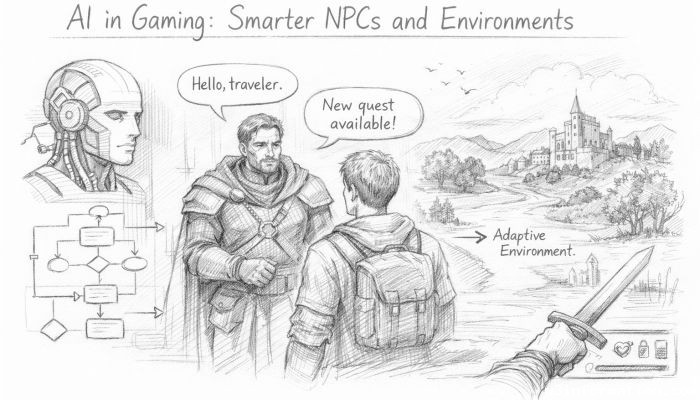 AI in Gaming: Smarter NPCs and Environments
 Understanding Bias in AI Algorithms
 Introduction to Chatbots and Conversational AI
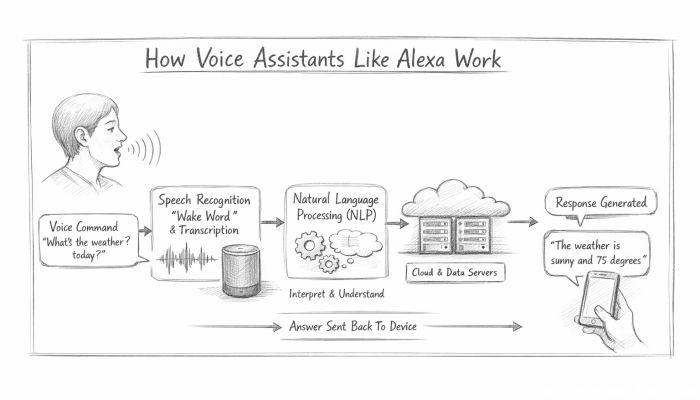 How Voice Assistants Like Alexa Work
 Federated Learning: AI Without Sharing Data