How to Build a Simple Mobile App from Scratch
In today’s digital age, mobile apps have become an integral part of our daily lives. From social networking and entertainment to productivity and education, apps shape the way we interact with technology. If you’ve ever dreamed of creating your own mobile app but felt overwhelmed by the coding and technical jargon, you’re not alone. Building an app from scratch might seem daunting at first, but with the right approach and tools, even beginners can bring their ideas to life. This article is designed to guide you through the entire process—from conceptualizing your app idea to launching it on app stores—with clear, practical steps. Whether you want to create a simple productivity tool, a fun game, or a niche utility, learning to build a mobile app can empower you to transform creativity into reality and open doors to new opportunities.
- Understanding the Basics of Mobile App Development
- Defining Your App Idea and Purpose
- Choosing the Right Platform: iOS, Android, or Both?
- Learning the Necessary Programming Languages and Tools
- Planning Your App’s User Interface (UI) and User Experience (UX)
- Setting Up Your Development Environment
- Starting With a Simple Prototype
- Writing Clean and Modular Code
- Testing Your App Thoroughly
- Optimizing Performance and Fixing Bugs
- Preparing for Deployment
- Publishing Your App and Gathering User Feedback
- Conclusion
- More Related Topics
Understanding the Basics of Mobile App Development
Before diving into coding and designing, it’s essential to understand what mobile app development involves. At its core, mobile app development is the process of creating software applications that run on mobile devices like smartphones and tablets. Apps can be classified as native (built specifically for a platform like iOS or Android), cross-platform (developed to run on multiple systems with a single codebase), or web apps (accessible through browsers but optimized for mobile). Recognizing the differences between these types will help you choose the right approach for your project, considering factors like budget, time, and desired functionality.

Defining Your App Idea and Purpose
Every successful app starts with a clear idea. Ask yourself: What problem will your app solve? Who is your target audience? What features are essential versus those that can be added later? Defining your app’s purpose and target users will inform all subsequent decisions, from design to marketing. Try to focus on one main concept to maintain simplicity and usability. Sketching a rough outline of the app’s flow or creating storyboards can help visualize user experience and identify potential challenges early on.
Choosing the Right Platform: iOS, Android, or Both?
Choosing the right platform for your app is a crucial step that influences development language, tools, and distribution. iOS apps run on Apple devices like iPhones and iPads, while Android apps cover a broader range of devices from multiple manufacturers. If your goal is to reach the widest possible audience, you may consider building for both platforms eventually. However, starting with one platform can simplify development and help you focus on delivering a polished experience. Consider your target audience’s device preferences and the specific features you plan to implement.
Learning the Necessary Programming Languages and Tools
To build a mobile app, you need to familiarize yourself with the appropriate programming languages and development environments. For native iOS development, Swift is the modern language of choice, supported by Xcode IDE. For Android, Java and Kotlin are the primary languages, with Android Studio as the official development environment. Alternatively, cross-platform frameworks like React Native or Flutter allow you to write one codebase in languages like JavaScript or Dart and deploy on both iOS and Android. Beginners might benefit from these frameworks due to faster development times and easier learning curves.
Planning Your App’s User Interface (UI) and User Experience (UX)
An app’s success depends heavily on its usability and visual appeal. UI refers to the layout and design elements users interact with, while UX focuses on the overall experience and satisfaction. Start by mapping out screens and user flows using wireframing tools like Figma, Sketch, or Adobe XD. Keep the design simple, intuitive, and consistent. Pay attention to navigation patterns and ensure that users can achieve their goals with minimal effort. Also consider accessibility to make your app friendly to a wider range of users.
Setting Up Your Development Environment
Once your design and plan are ready, you need to set up your development environment. Download and install the necessary IDE (Xcode for iOS or Android Studio for Android). These tools provide code editors, simulators/emulators for testing, debugging tools, and interfaces for managing app resources. Familiarize yourself with the environment’s features and shortcuts to streamline your workflow. Setting up version control with Git is also recommended to track changes and collaborate if needed.
Starting With a Simple Prototype
Before building the entire app, creating a basic prototype is beneficial. Prototypes help test core functionality and user flows without fully committing to complex code. Use the platform’s built-in tools or third-party solutions like Expo (for React Native) or Flutter’s hot reload to rapidly develop and adjust your prototype. Focus on the essential features and get initial feedback from potential users or peers. This step helps identify issues early and refine your concept.
Writing Clean and Modular Code
As you start coding, prioritize writing clean, modular, and well-documented code. Break down your app into reusable components or modules that handle specific tasks or UI elements. This approach simplifies debugging, testing, and future enhancements. Follow coding best practices and naming conventions to maintain readability. Comments and documentation within the code provide clarity for yourself and others who may work on the project.
Testing Your App Thoroughly
Testing is a critical phase to ensure your app works as intended and provides a smooth user experience. Use both manual testing and automated tests where possible. Test for functional correctness, UI responsiveness, performance, and security. Utilize emulators for different device sizes and OS versions, but also perform tests on physical devices to detect hardware-specific issues. Encourage beta testers to provide real-world feedback and report bugs.
Optimizing Performance and Fixing Bugs
After initial testing, focus on optimizing your app’s performance. Ensure fast loading times, smooth animations, and efficient resource usage like memory and battery. Identify bottlenecks using profiling tools available in your IDE. Fix bugs discovered in testing promptly, prioritizing critical errors that affect usability. Regular optimization not only improves user satisfaction but also increases your app’s chances of being featured or recommended.
Preparing for Deployment
Before launching your app, prepare the necessary assets and metadata for the app store. This includes your app’s icon, splash screen, screenshots, description, keywords, and privacy policies. Review the platform’s submission guidelines closely to avoid rejections. For iOS, you will need an Apple Developer account; for Android, a Google Play Developer account. Set up app signing certificates or keys as required to secure your app packages.
Publishing Your App and Gathering User Feedback
With your app ready, publish it on the respective app store. The submission process may involve a review period, after which the app becomes publicly available. After launch, actively monitor user reviews and analytics to understand how your app is performing. User feedback is invaluable for ongoing improvements and adding new features. Responding to reviews and updating your app regularly demonstrates your commitment to users and helps build a loyal audience.
Conclusion
Building a simple mobile app from scratch is a rewarding journey that combines creativity, technical skill, and strategic planning. By understanding the fundamentals of mobile development, clearly defining your app’s purpose, selecting the right platform and tools, designing an intuitive user interface, and following a disciplined development and testing process, you can bring your app idea to life successfully. While challenges will arise, each step offers learning opportunities that deepen your expertise. Ultimately, creating your own app empowers you to participate actively in the thriving digital ecosystem and could even open doors to exciting career or business prospects. So, take that first step today and turn your app dream into reality.
 Big O Notation Explained for Beginners
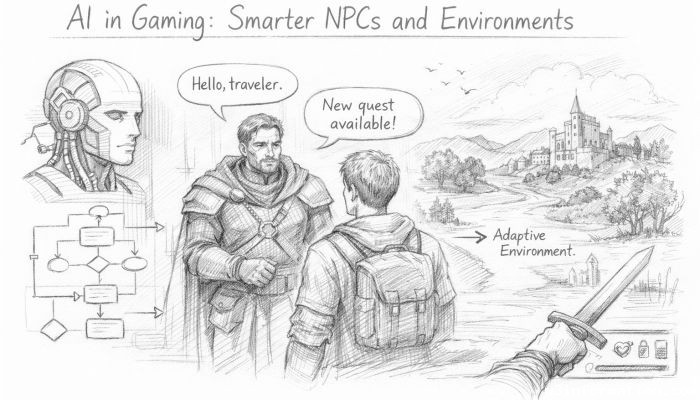 AI in Gaming: Smarter NPCs and Environments
 Understanding Bias in AI Algorithms
 Introduction to Chatbots and Conversational AI
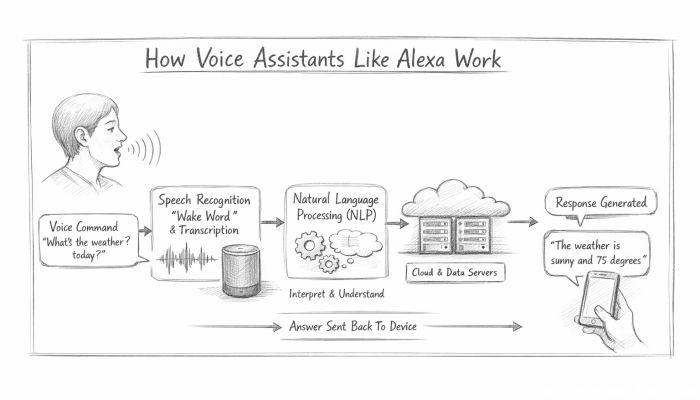 How Voice Assistants Like Alexa Work
 Federated Learning: AI Without Sharing Data