Best IDEs for Web Developers
In the fast-evolving world of web development, having the right tools can significantly enhance productivity, streamline workflows, and ultimately boost the quality of the final product. Among these tools, Integrated Development Environments (IDEs) hold a crucial place. An IDE combines various developer tools into a single application – including code editors, debugging utilities, build automation tools, and version control integration – providing developers with a seamless environment to write, test, and deploy code. With countless IDEs available, each catering to different programming languages, frameworks, and personal preferences, selecting the best one can be overwhelming. This article explores some of the top IDEs specifically tailored for web developers, examining their strengths, features, and suitability for various project types and skill levels, helping you find the perfect coding companion to elevate your web development journey.
Visual Studio Code (VS Code)
Visual Studio Code is arguably the most popular IDE among web developers today. Developed by Microsoft, it’s a free, lightweight, and highly customizable editor that supports a vast array of programming languages and frameworks through extensions. Its intuitive interface, powerful debugging tools, and Git integration make it ideal for front-end and back-end development alike. Features like IntelliSense provide smart code completions based on variable types and function definitions, while the integrated terminal allows developers to run commands without leaving the editor. The sheer volume of available extensions makes VS Code adaptable to nearly any web development workflow, from React and Angular to Node.js and Python.
WebStorm
WebStorm, created by JetBrains, is a comprehensive, commercial IDE specifically designed for JavaScript and related technologies. Renowned for its intelligent code analysis, refactoring tools, and robust debugging capabilities, WebStorm offers an advanced development experience with minimal configuration required. It supports modern frameworks such as Angular, React, and Vue.js out of the box, and its integrated testing support helps in writing and running unit tests easily. Though it comes with a licensing fee, many developers find the productivity gains justify the investment. Its seamless Git integration, powerful navigation, and code completion features make it a top choice for serious web developers prioritizing efficiency.

Sublime Text
Though technically a sophisticated text editor rather than a full IDE, Sublime Text has earned a place among web developers for its speed, simplicity, and extensibility. It supports multiple programming languages and boasts excellent performance even with large files. Sublime’s "Goto Anything" feature enables quick navigation to files, symbols, and lines, enhancing productivity. The package control system allows users to install various plugins that bring IDE-like features such as linting, autocompletion, and debugging tools. Its lightweight nature makes it particularly appealing for those who prefer a minimalist environment without sacrificing flexibility.
Atom
Atom, developed by GitHub, is an open-source text editor that aims to be a "hackable" IDE, meaning it can be customized extensively to fit a developer’s workflow. It offers integrated Git support, a built-in package manager, and a broad selection of community-developed plugins tailored for web development. Atom’s collaborative multi-cursor editing feature facilitates pair programming and team projects. Although its development has slowed down following GitHub’s acquisition by Microsoft and the rise of VS Code, Atom remains a relevant choice for those who appreciate its community-driven ecosystem and flexibility.
Brackets
freefreBrackets is a free, open-source editor designed specifically for web designers and front-end developers. What sets it apart is its focus on live previewing and direct manipulation of HTML, CSS, and JavaScript files. Its Live Preview feature allows developers to see changes reflected instantly in the browser, creating a more interactive and efficient design workflow. Brackets also includes preprocessor support (such as LESS and SCSS) and an inline editor that allows quick access to CSS definitions right within the HTML file, making it a fantastic tool for front-end developers prioritizing design and rapid prototyping.
Eclipse IDE for Web Developers
Eclipse, a veteran in the developer tools space, offers specialized packages for web development that support HTML, CSS, JavaScript, and server-side languages like PHP and Java. While sometimes criticized for its heavier resource consumption compared to newer editors, it compensates with extensive plugin support and a mature ecosystem. Eclipse’s strong debugging capabilities, integration with build tools like Maven and Gradle, and support for complex enterprise-level web applications make it a reliable choice for developers working on scalable full-stack projects. It’s particularly favored in environments where Java-based web applications predominate.
NetBeans
NetBeans is another long-standing IDE that offers robust support for web development through its support of HTML5, CSS3, JavaScript, and PHP. It provides powerful code editing with syntax highlighting, smart code completion, and refactoring tools. NetBeans includes integrated debugging for both client-side and server-side code and offers version control support for Git, Mercurial, and Subversion. This open-source IDE particularly shines in projects that involve both web and Java EE backend development, providing an all-in-one platform for full-stack developers.
IntelliJ IDEA
While IntelliJ IDEA is renowned as a premier Java IDE, its Ultimate Edition includes excellent support for web and enterprise development. It offers intelligent code completion, on-the-fly error detection, and comprehensive debugging tools for JavaScript, TypeScript, HTML, and CSS, alongside server-side languages and frameworks. IntelliJ’s strength lies in its deep integration with various build systems, application servers, and version control platforms. Its powerful refactoring capabilities and database tools further make it a sophisticated environment ideal for complex web projects with substantial backend components.
CodeSandbox
CodeSandbox is a cloud-based IDE created with the modern web developer in mind. Unlike traditional desktop IDEs, CodeSandbox runs entirely in the browser, allowing developers to create, share, and collaborate on web projects without any setup. It supports frameworks such as React, Vue, Angular, and Svelte, and offers live previews and instant feedback. This environment is especially useful for prototyping, learning, and collaboration, enabling seamless code sharing and real-time editing. Though it lacks some advanced features of desktop IDEs, its accessibility and simplicity make it a valuable supplemental tool.
Bluefish
Bluefish is a lightweight and fast editor aimed at experienced web developers and programmers. It supports many programming and markup languages, including HTML, CSS, PHP, and JavaScript. Bluefish is notable for handling multiple documents simultaneously and features powerful search and replace capabilities using Perl-compatible regular expressions. Although it doesn’t offer some modern IDE enhancements like IntelliSense or built-in debuggers, its simplicity and speed make it an attractive option when working on smaller projects or when resource consumption is a concern.
Komodo IDE
Komodo IDE is a commercial product catering to developers working across multiple languages including Python, PHP, Ruby, and JavaScript. Its strength lies in its language-agnostic architecture, making it suitable for web developers working in polyglot environments. Features such as code intelligence, debugging, unit testing, version control, and a visual code profiler are built into the IDE. Komodo also supports remote development workflows through SSH, enabling easy work on remote servers. While it’s not as widespread as VS Code or WebStorm, Komodo remains a solid, all-in-one tool for advanced web developers.
Cloud9 IDE
Amazon’s Cloud9 IDE is a cloud-based development environment that allows developers to write, run, and debug code with only a web browser. It natively supports JavaScript and many other languages essential for web development. Cloud9 comes pre-packaged with essential tools, making it easy to start coding without installation hassles. It is particularly advantageous for collaborative projects and teams that want shared workspaces accessible from anywhere. Its tight integration with AWS services can streamline the deployment of web applications on the cloud, making it a strategic choice for developers involved with modern cloud infrastructure.
Conclusion
Choosing the best IDE for web development depends on your specific needs, project requirements, and personal preferences. Whether you seek a lightweight, minimalistic editor like Sublime Text or a feature-rich powerhouse like WebStorm or IntelliJ IDEA, there’s an IDE to suit every style of development. Cloud-based solutions like CodeSandbox and Cloud9 grant unprecedented mobility and collaboration opportunities, while traditional IDEs like Eclipse and NetBeans provide comprehensive support for large-scale web and enterprise applications. Ultimately, the best IDE is one that feels intuitive, streamlines your workflow, and adapts to your evolving needs as a web developer. Experimenting with these tools and leveraging their unique features can profoundly impact your coding efficiency and the quality of your projects in the dynamic realm of web development.
 Big O Notation Explained for Beginners
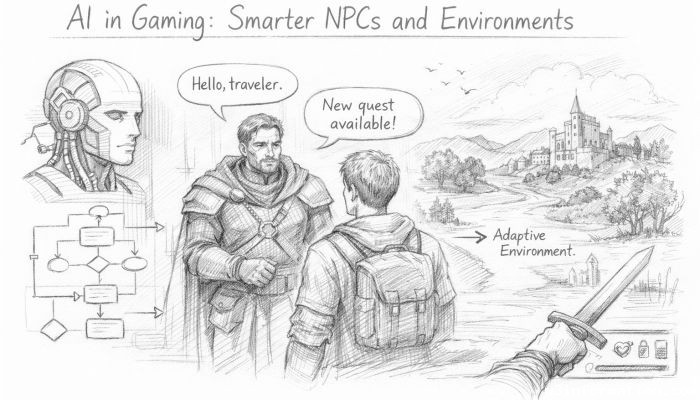 AI in Gaming: Smarter NPCs and Environments
 Understanding Bias in AI Algorithms
 Introduction to Chatbots and Conversational AI
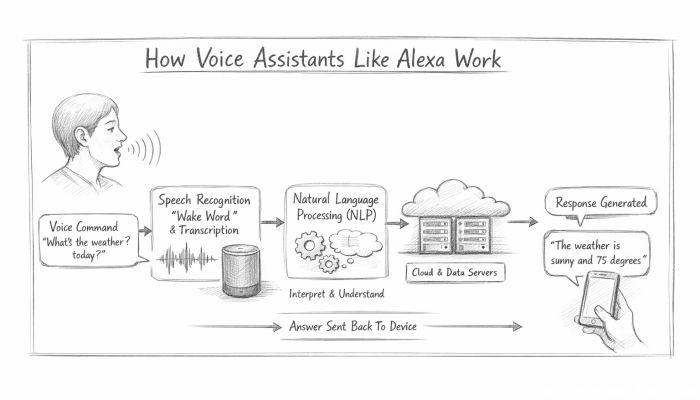 How Voice Assistants Like Alexa Work
 Federated Learning: AI Without Sharing Data