How to Design Real-World Projects Using Operating Systems in 2025
Designing real-world projects using operating systems is a fascinating and challenging process for every developer and engineer. An operating system (OS) is the foundation for creating and running every modern digital platform in 2025. The ability to understand and work with an OS is an essential skill that allows you to build intelligent, secure, and adaptive software products for a hyperconnected world. Whether you are working with Android or iOS, Linux or Windows, a simple mobile app or a cloud-based data analytics pipeline, you will need to leverage the capabilities and principles of the OS to make your project successful and innovative.
In this article, I will explain in detail how to design real-world projects using operating systems in 2025. I will cover some key aspects, such as how to choose the right OS, how to use modern OS tools and frameworks, and how to build distributed, secure, and scalable applications.
Understanding Operating Systems
The first step to learn how to design real-world projects using OS is to understand the concept of an operating system itself. An operating system is a software layer that sits between the hardware (CPU, memory, storage, etc.) and the applications (programs, services, etc.) that run on it. The OS performs several critical functions, such as managing system resources, scheduling tasks, providing user interfaces, and enabling communication and data exchange.
In 2025, the OS is not just a monolithic software, but a complex and dynamic ecosystem of components that can be customized, extended, and updated. New paradigms such as AI-assisted development, IoT, edge computing, and decentralized applications are reshaping how we design, develop, and use software at scale.
An operating system also plays a significant role in how your project interacts with its environment (networks, sensors, devices) and other systems. Developers in 2025 are increasingly using virtualization, containerization, and orchestration tools that abstract and automate OS-level operations for scalability, portability, and resilience.

Operating Systems in 2025
In 2025, there are many popular and widely-used operating systems that power different platforms, devices, and applications. Here are some of the most common ones:
* Linux: an open-source OS that dominates server-side computing and development environments. It has many distributions such as Ubuntu, Fedora, Debian, RedHat, and others.
* Windows: an OS that runs on desktop and laptop computers from Microsoft. It has evolved significantly since 2025, incorporating support for ARM processors and hybrid, modular development.
* macOS: an OS that runs on Mac computers from Apple. It is based on Unix and known for its seamless integration with iOS and other Apple services and devices.
* Android: an OS that runs on most smartphones and tablets, as well as some smart TVs, watches, cars, and IoT devices from Google. It is based on Linux and supports a large variety of devices with various hardware specifications.
* iOS: an OS that runs on iPhones and iPads from Apple. It is based on Unix and offers a streamlined and premium user experience.
* Chrome OS: an OS that runs on Chromebooks and other lightweight devices from Google. It is designed for web-based applications and services and offers fast boot times and cloud integration.
* Windows Server: an OS that runs on servers and provides features and tools for hosting websites, applications, databases, and services. It is compatible with Windows desktop and supports AI and ML frameworks.
Project design can greatly vary depending on the choice of the OS. Designers need to understand the key features, advantages, and limitations of each OS and its impact on the overall project architecture, performance, security, and user experience.
Designing Operating Systems Projects
After familiarizing with the basic principles and trends of operating systems, it’s time to learn how to design your real-world OS-based projects. Here are some general steps that can guide you through the process:
* Define the purpose and scope of your project: Identify the main goal, target audience, and functional requirements of your project. Research the problem domain and analyze the potential users, value propositions, and competitive advantages of your solution. Establish success metrics and key performance indicators (KPIs) for your project.
* Select an appropriate OS for your project: Based on the purpose and scope of your project, choose an operating system that meets the technical and business needs of your solution. Consider factors such as performance, compatibility, scalability, security, developer support, user experience, license, and cost of your project.
* Design your project architecture: Plan out how you will structure your project, how different components and modules will interact, and how data will flow and be managed. Choose or design the system architecture, frameworks, libraries, APIs, databases, and other technologies that will form the foundation and logic of your project.
* Develop your project: Implement your code, test your functionalities, fix errors and bugs, iterate and improve upon existing features, and incorporate user feedback to enhance your solution. Follow coding standards, documentation, and version control best practices to ensure your project is easy to maintain and collaborate on.
* Deploy and launch your project: Choose or set up a server, cloud platform, or environment where you can run your application and make it available for your users. Configure settings and settings to enable access and functionality, and make sure to test and optimize your solution for real-world workloads.
* Monitor and maintain your project: Keep track of your application’s performance, user feedback, and technical issues, and respond accordingly to ensure your solution is running smoothly and meeting its goals. Update, patch, and upgrade your code and dependencies as needed to maintain the security and stability of your solution.
* Analyze and improve your project: Evaluate your project performance and measure its impact based on the success metrics and KPIs you have previously established. Learn from the results and insights you gather, and think of new features and optimizations to enhance your solution over time.
Conclusion
Designing real-world projects using operating systems is an exciting and rewarding journey for any developer. By following these steps and being creative and innovative in your approach, you can build a high-quality, efficient, and sustainable solution that serves the needs of your users and solves real-world problems. Remember to focus on user-centered design, prioritize user needs, and work to ensure your product is as intuitive, accessible, and delightful to use as possible.
Stay tuned for more detailed articles on how to design real-world projects with each OS in the following sections.
 Big O Notation Explained for Beginners
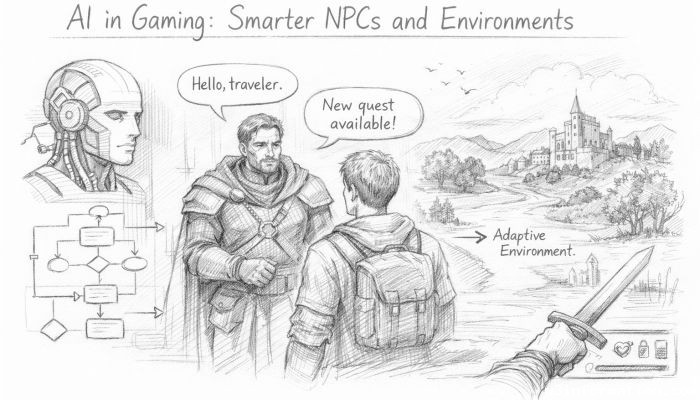 AI in Gaming: Smarter NPCs and Environments
 Understanding Bias in AI Algorithms
 Introduction to Chatbots and Conversational AI
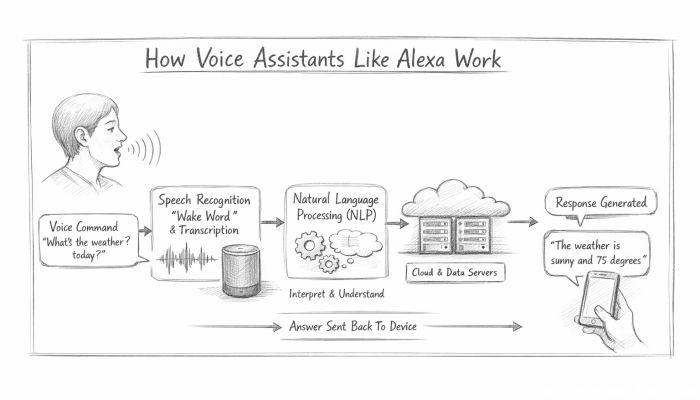 How Voice Assistants Like Alexa Work
 Federated Learning: AI Without Sharing Data