How to Automate Real-World Projects Using Web Development in 2025
It is 2025 and you have learned your JavaScript, picked a Web Framework or two and you’re starting to think about real world projects. Congratulations, friend! This article is a practical guide to making the jump from tutorial web dev to automating real world projects. Specifically, we are talking about projects involving workflow automation, business integrations and operations projects that have an impact beyond your own time. These might be internal tools, customer portals, B2B integrations, home automation, IoT dashboards, really anything where web development can be used to automate tasks, glue systems together and deliver value in a real world context.
In this post we will walk through automating real world projects: from defining the scope and goal, choosing the right tech stack and architecture, mapping out the workflow, building data models, APIs and UI components, to deploying, testing and maintaining the solution. We’ll provide practical tips and real world examples to help you plan and build your own web automation projects with a structured approach and best practices. By the end of this article you should be able to turn your own vague ideas into concrete steps and start automating with the web.
- Defining the Project Scope: Automation with Purpose
- Choosing the Right Web Development Stack & Automation Tools
- Mapping Workflows: From Manual to Automated Web Processes
- Building Data Models, APIs and Automation Endpoints
- Integrating External Services and Third-Party APIs
- Automating UI and User Interaction: Forms, Dashboards and Reports
- Scheduling, Triggering & Background Automation Tasks
- Deploying, Monitoring and Maintaining Automated Web Projects
- Security, Compliance and Automation Risks
- Scaling Automation: From Pilot to Production
- Case Study Examples: Real-World Automation via Web Apps
- Future Trends: What Automation in Web Projects Looks Like Beyond 2025
- Conclusion
- More Related Topics
Defining the Project Scope: Automation with Purpose
Automation for the sake of automation is like a car without a destination. Every successful automation starts with clarifying why you want to automate and what for. What manual process are you replacing? Which inefficiency, pain point or task is consuming too much time or resources? Who are the stakeholders that benefit from faster, more reliable or scalable workflows? These are the questions you need to ask before diving into code and tech decisions. Defining the purpose and problem statement of your automation project gives you context, scope and success metrics.
For example, let’s say you want to build a simple project to onboard new employees using web development. Your automation goal is “streamline employee onboarding, reduce manual entry and avoid delays in setup”. From that purpose you can define the scope: A web form or portal to collect information, backend services to handle validation, routing and API integration, webhooks or notifications to signal status and updates, and automation layers that perform any action or decision instead of waiting for a human. A clear purpose also allows you to think through edge cases, exceptions and error handling upfront. Automation has a reason and desired endpoint, even if it is “give up after N retries or X minutes” in case of failure.

Project scope thus includes both what is automated as well as what is not. Your web development project may integrate with existing systems, make calls to third party APIs, enrich or transform data, but only if it fits the defined purpose. It may have manual steps or hand-offs if that is where it makes sense in the overall process flow. The automation scope documents interfaces, integrations, states, triggers, automation triggers and even visualisation of the real world value you want to create. With a well-defined project scope in place, mapping out the workflow and building the tech stack becomes much easier and focused.
Choosing the Right Web Development Stack & Automation Tools
If you have kept up with the web development landscape in 2025, you are aware that there are some excellent frameworks and tools that make web automation a snap. From front-end development, you could choose React, Vue or Svelte to build your user interface, handle state and logic. From the back-end, you might use Node.js (Express, NestJS) or Python (FastAPI, Django). Now, on top of that core web development stack, you have choices of powerful automation-specific tools:
Workflow engines: e.g., Camunda, Temporal for declarative business process modelling and execution of stateful, long-running workflows
API Orchestration: many tools that can help you design, implement and manage APIs to interact with your web frontend and back end services.
Webhooks and Serverless: AWS Lambda, Azure Functions allow you to create serverless functions triggered by events or schedules to offload some of the automation.
WebAssembly (Wasm): a key trend in 2025 for high-performance web components that can be run natively on the web.
AI Code Generation, No-Code/Low-Code: another growing trend: using AI agents or visual interfaces to generate code and automate without coding much or at all.
For your specific web development project and its automation layer, you want to pick a tech stack that will work well together and let you build your solution efficiently. This means robust API and event endpoints, support for event-driven triggers or webhooks, cron and schedulers, stateful workflows and tooling for monitoring and deploying. You might not use all of the above tech for every project, but have a good general web development and automation stack in your toolbox.
Mapping Workflows: From Manual to Automated Web Processes
In order to build an automation workflow, you have to understand how tasks flow from initiation to completion in the real world. You can do this by creating flow diagrams or process maps that show all the steps, decisions, parallel activities and integrations. Start with a whiteboard and sketch, or use software like Lucidchart, Draw.io or bpmn.io to map the existing manual process and identify automation opportunities.
In a real world project, there will be specific steps that can be fully or partially automated, and the map shows exactly where. Also, think about the triggers that kick off automation, which could be webhooks, manual entry, schedule or recurrent events. The workflow map shows the real world sequence of activities, decisions and integrations from start to end (end states could also be error states). The resulting workflow map is a blueprint for building the automation layer using web development. Identify the web components: API endpoints, webhooks, message queues and UIs (dashboards, forms) corresponding to each step.
Building Data Models, APIs and Automation Endpoints
With a mapped out workflow in place you can build the underlying technical components. Define your database tables (entities) and their relationships, such as Users, Requests, Approvals, Logs and the fields they have. Design RESTful or GraphQL API endpoints for the web front end to interact with the application state and submit or query data. More importantly for automation, you can build endpoints specifically to trigger automation actions.
These might accept webhooks, scheduled events or manual triggers and perform one or more actions in response. Actions can be to validate data and update status, make a call to an external service (send an email, call an API, post a message) and return, or even enqueue another step to happen asynchronously. In a real world automation project, such endpoints become the exposed interface for a workflow step to be executed. That is, any web form, button, button that triggers something can be built this way.
Integrating External Services and Third-Party APIs
A large part of real world automation is integration with other systems. This might include connecting to CRM software, financial systems, communication tools, cloud services or anything else that needs to be notified, updated or queried as part of the process flow. When building your web automation project, you will often have to integrate with these services and handle events or data coming in or going out. This could be sending a webhook when an approval is done to a CRM, or consuming a webhook when a payment is confirmed from a financial system.
The event-driven architecture and microservices become key architectural principles. So you want to choose a web development stack, API tools and server or cloud platform that supports webhooks, callbacks, and fine-grained permissions and support for asynchronous event processing. Integrating with external services and APIs is often one of the more challenging parts of building automation, but is also a big part of the real world value creation. The web apps you build will most likely be called, or call other web services.
Automating UI and User Interaction: Forms, Dashboards and Reports
Automation can be seen in the interface, where the output or result of some automated task is visualised or presented. This might be in the form of dynamic forms that auto-populate based on previous choices, real-time dashboards that update via WebSockets when new data arrives, or auto-generated reports on completed actions. Building UI in automation might also mean enriching the human steps with helpful automation. For example, with one click on an email notification, a user can view and approve a request via a web page, rather than needing a separate, manual process.
In 2025, web apps are increasingly built with rich client-side logic and integrated tightly with workflow engines so that UI also reflects and is part of the automation state. Automating UI components such as forms, status indicators, filters, messages, and tables is often an overlooked opportunity to reduce toil and friction in user interactions. It may also be where the bulk of your web development code goes for the automation layer, even though it is not directly “automation”. By the way, you can also automate automating UI. If the form structure is specified declaratively, you can actually build a form from a JSON schema or UI definition file.
Scheduling, Triggering & Background Automation Tasks
As you can see from the above examples, not all automation tasks are user-driven. Many will be scheduled or triggered by external events. In your web development project, you will therefore need a way to configure cron jobs, scheduled tasks or message queues for background automation. These will typically involve polling a service to check for updates, doing a batch operation at regular intervals or enqueueing a step to run later. The tech for this varies: cron jobs or AWS CloudWatch events for scheduled tasks; RabbitMQ, Kafka or Bull (Node.js), Celery (Python) for message queues.
Key to this is the configuration of triggers (webhook, time based, user initiated) for each type of automation task and linking those triggers to a specific workflow step or action. For example, a nightly reconciliation of all transactions, automatic cleanup of data more than X days old or polling a third-party API to get status updates. The idea is to manage and operate background tasks, workflows and automation processes separately from the foreground, user-activated activities.
Deploying, Monitoring and Maintaining Automated Web Projects
Automation workflows and real world projects only add value if they can be reliably deployed and maintained in production. The automation layer and the web development project as a whole must therefore have CI/CD pipelines (GitHub Actions, GitLab CI, CircleCI, Jenkins, etc. ), be containerised (Docker, Podman) and ideally orchestrated (Kubernetes, OAM, serverless). Monitoring is also critical: you need to track metrics like queue lengths, failed automation runs, response times and resource utilisation. Set up alerts for when an automation workflow fails, a critical step is pending too long or the system is getting bogged down.
Use logging and dashboarding tools (Prometheus, Grafana) to visualise the system health and performance. This is observability and is a critical part of any web automation project, because otherwise you are flying blind and risk incurring silent failures. In 2025, no-one has time to watch their automation manually or ad hoc, it must be instrumented for health checks, alerts and self-healing wherever possible. Maintenance of your automation includes keeping integration points updated as APIs change, adjusting workflow steps when business rules change, optimising automation or even adding new steps as requirements change.
Security, Compliance and Automation Risks
An aspect of real world projects and web development you must not overlook are security, permissions and compliance risks. Automation is where sensitive data is handled, external services are called and business-critical actions are executed. These actions must therefore be properly authenticated and authorised (OAuth, JWT, Keycloak). There must be role-based access control, fine-grained permissions and auditing of who did what and when. Your automation should also be resilient: if one step in a workflow fails, how do you handle the error, notify people and potentially even rollback? In regulated industries, compliance (GDPR, HIPAA) needs to be considered when your web development project touches personal data or payments.
A well-architected and well-tested automation project needs to think through the risks, safe design patterns and also be able to alert or report anomalous behaviour. This is where observability (logging, metrics, dashboards) is helpful, as well as using standard security, testing and monitoring patterns. One of the more difficult parts of automation, however, is edge case handling, exception handling and support for manual intervention. Even in the most automatable workflows, things can go wrong and business users might need to manually intervene to nudge a process along or handle it entirely.
Scaling Automation: From Pilot to Production
Pilot automation projects are great and fun but the real value comes when you scale automation to multiple operations and business processes. As your automation grows to handle more traffic, more integrations and more varied workflows, there is more operational complexity. You will have to build workflow modules, decouple logic from presentation, ensure you can scale horizontally, and guarantee your automation can run on demand or schedule without side-effects. This is one area where being cloud-native (serverless functions) or having robust container orchestration (Kubernetes, OAM) helps you scale.
Another is designing your automation layer so that new workflow steps can be added with little or no code changes. Often this can be achieved by a visual workflow editor where non-developers author new automation. So instead of being a one-off web development project, your real world automation often ends up evolving into its own “automation platform” within an organisation. Therefore it is important to design your architecture and choose your tech stack from the beginning with an eye to future evolution and growth.
Case Study Examples: Real-World Automation via Web Apps
Let’s wrap up with a few examples to drive this home. Example A: A logistics company automates package tracking and customer notifications. Customer enters details in a web form ➜ backend triggers routing engine and calls courier service API ➜ backend updates database and triggers customer notification via webhooks ➜ dashboard shows live package tracking status and alerts. Example B: A university automates course registration and scheduling. Student fills out a web form with preferences and prerequisites ➜ backend approves based on rules ➜ schedule engine assigns time slots and notifies faculty/admin ➜ system emails calendar invite to student ➜ admin dashboard monitors room utilisation. In both cases the web development project involves forms, APIs, triggers, backend logic, external integrations, dashboards and delivers tangible business impact.
Future Trends: What Automation in Web Projects Looks Like Beyond 2025
Beyond 2025, the trend lines indicate that automation will further move towards the use of AI agents, low-code platforms and declarative, no-code definition of business processes. This means even less “programming” and more “point and click” tools to create automation flows. We are also seeing the rise of “vibe coding”, where you just describe what you want in plain language and the agent generates the code or configuration for you. Wikipedia UI-to-code automation with multimodal LLMs means even the web front end may build itself in 2025+ in some cases. arXiv+1 Workflow hyper-automation tools will allow business users to draw or click their flows in a visual editor and the web app will enforce it via automation. For software developers, the role will be to orchestrate autonomous systems that can self-learn, self-optimize and then let the web app handle it from there.
Conclusion
Automating real world projects using web development in 2025 is about so much more than writing a simple website: it is about architecting systems that react, integrate, scale and deliver business value. The journey from vague idea to automated web app involves first defining the project scope and goal, then picking the right tech stack and architecture, mapping out workflows, building APIs, connecting services, designing UI components, and then deploying, testing and maintaining the solution. At every step, focus on delivering value in a real world context. The web apps you build will most likely be called, or call other web services.
Security, observability, change management, resilience and reliability of automation are all key responsibilities as well. Done right, automation projects can reduce toil, automate tasks, integrate services, accelerate processes, improve accuracy and free up time for humans to focus on more strategic, non-routine work. As new technologies continue to emerge (AI agents, no-code/low-code platforms, declarative workflows) in 2025+, the future is rich with opportunities to do real world automation using web development. The future is bright, so view web development not just as building pages, but as orchestrating automation that can power meaningful, real world workflows and projects. Use the web as your automation platform, and you can do powerful things.
 Big O Notation Explained for Beginners
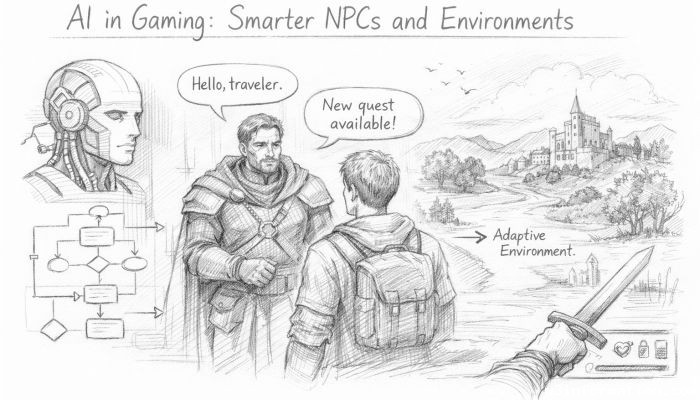 AI in Gaming: Smarter NPCs and Environments
 Understanding Bias in AI Algorithms
 Introduction to Chatbots and Conversational AI
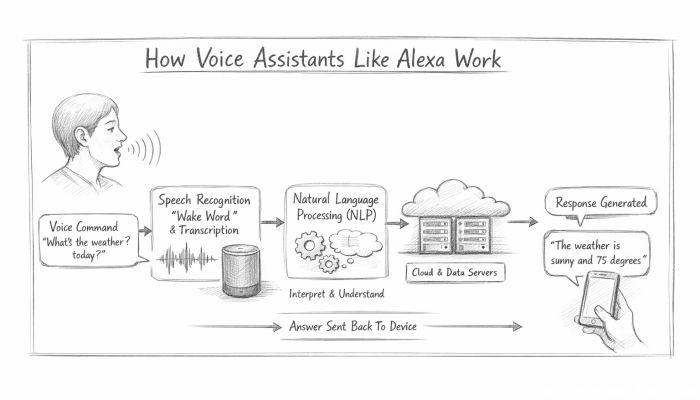 How Voice Assistants Like Alexa Work
 Federated Learning: AI Without Sharing Data