How to Stay Safe in Online Banking
Online banking provides unparalleled convenience, allowing individuals to access their accounts and conduct financial transactions from anywhere with an internet connection. Users can transfer funds, pay bills, and monitor account activity without visiting a physical bank branch. The accessibility, speed, and 24/7 availability make digital banking an attractive option for many. However, online transactions and personal data management also pose security risks. Cybercriminals, phishing attacks, and identity theft are real concerns for users who must prioritize cybersecurity. Safely managing personal and financial information while using online banking involves more than a strong password; it encompasses a range of secure practices and an understanding of potential risks. In this comprehensive guide, we provide detailed strategies and practical steps to help you protect your online banking experience. By implementing these methods, users can mitigate the risk of fraud, theft, and identity compromise, ensuring their money and personal information remain secure.
- Use Strong and Unique Passwords
- Enable Two-Factor Authentication (2FA)
- Keep Software and Devices Updated
- Monitor Accounts Regularly
- Avoid Using Public Wi-Fi Networks
- Beware of Phishing Scams
- Use Official Banking Apps
- Secure Personal Devices
- Don’t Click on Suspicious Links
- Set Up Alerts and Notifications
- Avoid Sharing Personal Information
- Stay Informed and Educated
- Conclusion
- More Related Topics
Use Strong and Unique Passwords
Passwords are the first line of defense in safeguarding online accounts. Create strong, complex passwords that are difficult for others to guess. Avoid using common sequences, like “123456” or personal information such as birthdates. Use a combination of uppercase and lowercase letters, numbers, and special characters. Each online banking account should have a unique password to prevent a breach on one platform from compromising others. Regularly update passwords and consider using a password manager to keep track of them.

Enable Two-Factor Authentication (2FA)
Two-factor authentication (2FA) adds an extra layer of security to your account by requiring a second form of verification in addition to the password. This could be a one-time code sent to your mobile device via SMS or an authentication app. Even if a hacker has your password, they cannot access your account without the second authentication factor. Most banks offer 2FA options, and it is highly recommended to enable them for all online banking services.
Keep Software and Devices Updated
Regularly update your operating system, browser, and banking apps to the latest versions to benefit from the latest cybersecurity measures. Updates often include patches for security vulnerabilities that hackers could otherwise exploit. Whether on a smartphone, tablet, or computer, make sure that all devices used to access your bank account have updated software. Consider enabling automatic updates to ensure your devices are always protected.
Monitor Accounts Regularly
Regularly check your bank accounts for suspicious or unusual activity. Review your transaction history frequently, and consider setting up alerts for large or unusual transactions. The sooner suspicious activity is detected, the more quickly you can take action to prevent further issues. Freezing accounts, closing them, or filing a police report to investigate fraud or phishing scams are all effective preventative strategies.
Avoid Using Public Wi-Fi Networks
Public Wi-Fi networks, such as those found in coffee shops, libraries, or airports, are often unsecured, making it easier for hackers to intercept personal and financial information. Avoid accessing your online banking accounts over public networks. If you must access your bank account while on public Wi-Fi, consider using a virtual private network (VPN) to encrypt your connection and protect your data.
Beware of Phishing Scams
Phishing scams involve attempts to trick users into providing their login credentials or personal information through fake emails, messages, or websites. Be wary of unsolicited emails that claim to be from your bank, especially those requesting personal information or login credentials. Verify the sender, avoid clicking on links in suspicious messages, and access your bank’s website by typing the address directly into your browser or using the bank’s official mobile app.
Use Official Banking Apps
Download your bank’s official app from the Google Play Store or Apple’s App Store, and ensure it is from the legitimate bank and not a third party. Verify the app’s permissions and read user reviews to ensure its authenticity. Secure apps often have additional encryption and built-in security features that help protect your account information.
Secure Personal Devices
Use a password, biometric authentication, or PIN code to lock personal devices such as smartphones, tablets, and computers. Avoid leaving devices unattended in public places, and set up remote tracking and wiping capabilities in case of loss or theft. Securing your devices is a critical component of preventing unauthorized access to your online bank accounts.
Don’t Click on Suspicious Links
Do not click on links in emails or messages that claim to be from your bank unless you are absolutely certain they are legitimate. Hackers often use spoofed websites designed to look like real bank portals to steal login credentials. Instead of clicking on a link, type the URL of your bank’s website directly into your browser or access it through the bank’s official mobile app. Double-check the email address or message content for inconsistencies or spelling mistakes.
Set Up Alerts and Notifications
Use alerts and notifications to stay informed about your account activity. Many banks offer these services for free or at a low cost, including notifications for large withdrawals, low account balances, or login attempts. This can help you quickly identify unauthorized activity and take appropriate action.
Avoid Sharing Personal Information
Do not share banking credentials, passwords, or sensitive personal information with anyone. Be cautious about providing banking or financial information over the phone, email, or messaging apps. Sharing such information can make you vulnerable to fraud and identity theft.
Stay Informed and Educated
Cybersecurity is an ever-evolving field, and the risks can change rapidly. Stay informed about common online banking scams, emerging threats, and best practices for online safety. Banks often provide resources and educational materials to help users understand and manage risks. The more informed you are, the better decisions you can make to keep your personal and financial information safe.
Conclusion
Online banking is convenient, but staying safe requires more than strong passwords. Implementing a range of secure practices, including two-factor authentication, account monitoring, and avoiding public Wi-Fi, can help users mitigate risks. Recognizing phishing attempts, using secure devices and apps, and staying informed about cybersecurity are also critical components of online banking safety. By staying proactive, cautious, and informed, individuals can make safe and secure choices while enjoying the benefits of digital banking. With the right strategies, online banking can be transformed from a risk-filled practice into a reliable, convenient way to manage your money and financial information securely.
 Big O Notation Explained for Beginners
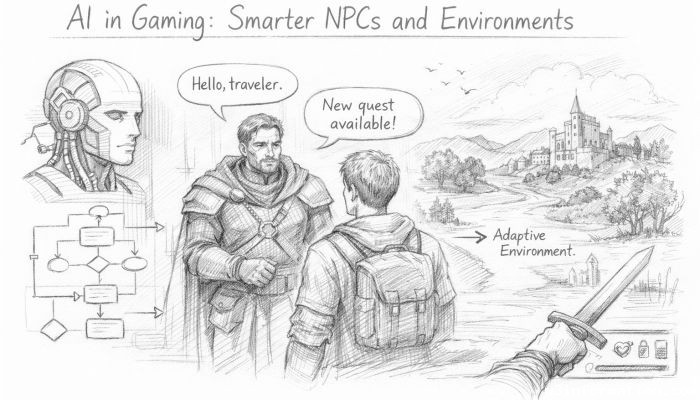 AI in Gaming: Smarter NPCs and Environments
 Understanding Bias in AI Algorithms
 Introduction to Chatbots and Conversational AI
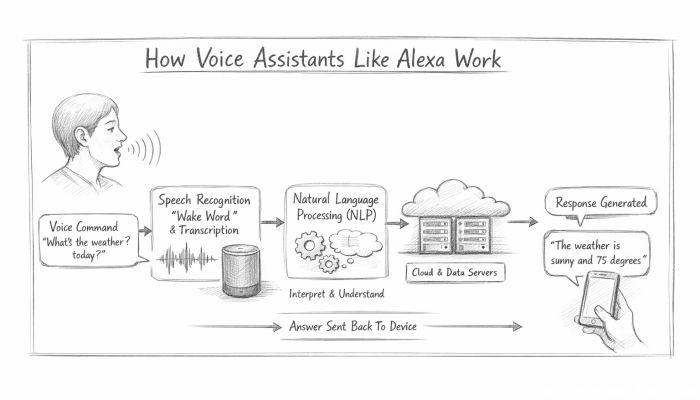 How Voice Assistants Like Alexa Work
 Federated Learning: AI Without Sharing Data