How to Root or Jailbreak Your Phone Safely
In today’s rapidly evolving digital landscape, smartphones have become indispensable tools, connecting us to endless information, communication, and entertainment. However, the full potential of these devices is often limited by manufacturer-imposed restrictions and operating system constraints. Rooting or jailbreaking your phone offers an enticing solution by granting users elevated control over their devices, enabling customization, removal of bloatware, and installation of advanced applications. Despite these benefits, the process carries risks such as voiding warranties, exposing devices to security vulnerabilities, or worse, bricking the phone entirely. This article aims to provide a comprehensive, clear, and cautious guide on how to root or jailbreak your phone safely. By exploring essential preparations, step-by-step methods, best practices, and security tips, you’ll be equipped with the knowledge to unlock your device’s true potential without compromising stability or security.
- Understanding Rooting and Jailbreaking: What’s the Difference?
- Why Root or Jailbreak Your Phone?
- Assessing the Risks and Legal Implications
- Preparing Your Device for Rooting or Jailbreaking
- Exploring Popular Tools and Software
- Step-by-Step Rooting Process for Android
- Step-by-Step Jailbreaking Process for iOS
- Post-Root or Jailbreak Safety Measures
- Custom ROMs and Tweaks: Enhancing Functionality Safely
- Reverting Root or Jailbreak: How and Why?
- Tips for Maintaining Long-Term Device Health After Rooting or Jailbreaking
- Community and Resources: Where to Find Help and Updates
- Conclusion: Unlock Your Phone’s Potential Responsibly
- More Related Topics
Understanding Rooting and Jailbreaking: What’s the Difference?
Before diving into the rooting or jailbreaking process, it’s vital to understand what these terms mean and how they differ. Rooting refers primarily to Android devices and involves granting the user ‘root’ access, literally the highest administrative privilege, similar to running Windows as an administrator. This access allows manipulation of system files and settings usually locked by manufacturers or carriers. Jailbreaking, on the other hand, is a term used for iOS devices, like iPhones and iPads, allowing users to bypass Apple’s restrictions and install unauthorized apps or tweaks. Both processes unlock extensive customization possibilities but operate differently due to the distinct architectures of Android and iOS systems. Recognizing these differences helps users make informed decisions based on their device type and goals.
Why Root or Jailbreak Your Phone?
Rooting or jailbreaking opens a world of opportunities unavailable to average users. You can remove pre-installed bloatware apps that drain resources, install custom ROMs and themes for a personalized user experience, and access powerful apps requiring elevated permissions, such as system backup and CPU management tools. Developers and advanced users benefit by being able to tweak, test, or modify apps at a deeper level. Moreover, rooted or jailbroken devices enable increased control over update processes, ad-blocking system-wide, and extend hardware features such as tethering or improved battery life. While the benefits are compelling, it’s important to weigh these advantages against the potential risks and learn how to manage both responsibly.
Assessing the Risks and Legal Implications
Rooting or jailbreaking is a double-edged sword. While it enhances control, it can also void your device’s warranty, disable official software updates, and increase susceptibility to malware or hacking due to relaxed security controls. There is also the possibility of “bricking” your device, rendering it unusable if done incorrectly. The legal status varies by country: in some regions, it is perfectly legal for personal use, while others may restrict or forbid it. Being aware of the potential consequences, and ethical and legal frameworks is crucial before proceeding. Always back up data in case something goes wrong, and understand that rooting or jailbreaking should be done with caution and a good grasp of the process.
Preparing Your Device for Rooting or Jailbreaking
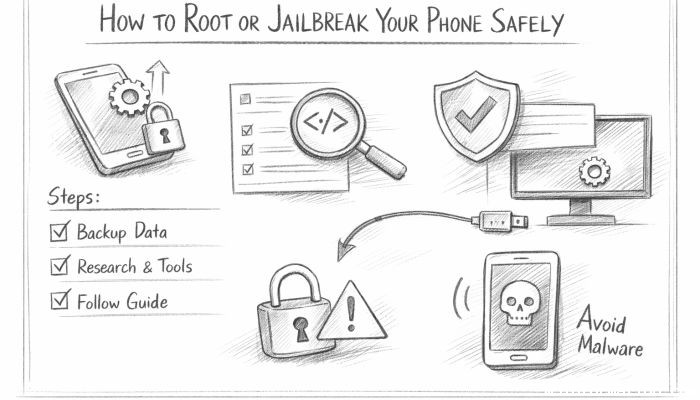
Preparation is key to a successful and safe rooting or jailbreaking experience. Begin by ensuring your device is fully charged to prevent interruptions. Back up all important data such as contacts, photos, and files, either through cloud services or manual transfers. Familiarize yourself with your device’s model number, Android or iOS version, and bootloader status. Unlocking the bootloader—a prerequisite for many rooting or jailbreaking methods—may require following manufacturer instructions. Moreover, download legitimate tools and software from trusted sources only. Installing necessary drivers on your PC and enabling developer options or trust profiles may be required. This preparatory phase reduces risks and streamlines the rooting or jailbreaking process.
Exploring Popular Tools and Software
There is a variety of tools designed to simplify rooting and jailbreaking, each catering to different devices and user expertise levels. For Android, popular rooting tools include Magisk, KingRoot, and SuperSU; each offers unique features like systemless rooting, easy unrooting, or extensive module support. On the iOS side, jailbreak utilities like Checkra1n, Unc0ver, and Taurine have gained prominence for supporting multiple iOS versions while maintaining device stability. These utilities often require a computer connection, specialized steps, or compatibility checks. Not all tools are safe or reliable; therefore, users should prioritize those with active community support, regular updates, and positive reputations within the rooting and jailbreaking communities.
Step-by-Step Rooting Process for Android
Rooting an Android device generally involves unlocking the bootloader as the first step. Manufacturers usually provide instructions on their official sites for bootloader unlocking. After unlocking, installing a custom recovery environment such as TWRP (Team Win Recovery Project) enables the flashing of root packages like Magisk. Typically, the workflow is: unlock bootloader → install custom recovery → flash root zip → reboot. During this process, it’s important to follow the instructions precisely and verify device compatibility at every step. Root status can be checked using apps like Root Checker. Users should also update Magisk Manager to maintain root functionality and security patches.
Step-by-Step Jailbreaking Process for iOS
iOS jailbreaking varies by device model and firmware version, requiring specific tools compatible with your iOS version. The process usually involves downloading the jailbreak tool on your computer, putting the iPhone or iPad into DFU (Device Firmware Update) mode, and running the jailbreak software, which then exploits system vulnerabilities to install a jailbreak app store (like Cydia or Sileo). Some jailbreaks are tethered, requiring the device to connect to a computer each time it restarts, while others are untethered or semi-untethered. Precise adherence to detailed guides ensures safer jailbreaking and reduces the chance of errors or device bricking.
Post-Root or Jailbreak Safety Measures
Gaining root or jailbreak access expands device control but also elevates risks if mismanaged. Immediately after rooting or jailbreaking, users should restrict root-level app permissions and avoid installing apps from untrusted sources, as these could inject malware or cause instability. Installing security-focused apps, such as antivirus and firewall solutions, can protect your device. Regularly updating root or jailbreak tools and any related modules ensures compatibility and patches vulnerabilities. In addition, staying informed about developments or patches from the rooting/jailbreaking community helps users avoid emerging threats.
Custom ROMs and Tweaks: Enhancing Functionality Safely
One of the most powerful benefits of rooting is the ability to install custom ROMs—alternative versions of the Android operating system that can dramatically change your device’s look, feel, and performance. Popular ROMs like LineageOS offer clean, rejuvenated versions of Android often enhanced with privacy features and optimizations. Installing these requires careful compatibility checks, using reliable sources, and following flashing instructions exactly. Similarly, jailbreak tweaks enable personalizing iOS devices beyond Apple’s constraints, such as adding widgets, changing default apps, or extending multitasking. Users should cautiously select tweaks from verified repositories to avoid instability or conflicts.
Reverting Root or Jailbreak: How and Why?
There may come a time when you want to reverse rooting or jailbreaking to receive official updates, restore warranty status, or sell the device. Fortunately, most rooting tools allow “unrooting” by flashing stock firmware or uninstalling root binaries. For Android, flashing the factory image or using unroot features in apps like Magisk Manager can revert the device to its original state. On iOS, restoring through iTunes or Finder typically removes jailbreaks, although care must be taken with version updates since some jailbreak treatments depend on specific firmware versions. Always back up before reverting, as the process usually wipes data.
Tips for Maintaining Long-Term Device Health After Rooting or Jailbreaking
To keep your rooted or jailbroken phone healthy, consistent safeguards are necessary. Avoid extensive modifications all at once—incremental changes reduce instability risks. Monitor system performance and battery health to detect apps or tweaks causing drains or crashes. Keep sensitive data protected by using strong passwords and encryption where possible. Stay vigilant towards system updates, security advisories, or tool improvements from the community. Furthermore, consider periodically backing up your device to avoid loss of configuration, especially before making significant system changes. Responsible use ensures your device remains secure and functional well after rooting or jailbreaking.
Community and Resources: Where to Find Help and Updates
Rooting and jailbreaking are supported by vibrant online communities and forums such as XDA Developers for Android and Reddit’s Jailbreak subreddit for iOS. These platforms offer daily discussions about the latest tools, best practices, and troubleshooting advice. Many seasoned enthusiasts and developers share detailed guides, step-by-step tutorials, and custom scripts. Official tool websites and GitHub repositories provide authentic downloads and version histories. Engaging with these communities not only helps beginners but also keeps experienced users up to date on new vulnerabilities found, patches released, or upcoming updates. Staying connected is a valuable part of rooting or jailbreaking safely.
Conclusion: Unlock Your Phone’s Potential Responsibly
Rooting or jailbreaking your phone can unleash incredible customization, performance, and usability advantages, transforming your device into a truly personal digital companion. However, these perks come with inherent risks that require preparation, knowledge, and caution. By understanding the technical processes, legal considerations, popular tools, and ongoing safety measures outlined in this article, users can confidently navigate the rooting or jailbreaking journey. Remember that responsible actions—such as backing up data, verifying software authenticity, restricting permissions, and engaging with trusted communities—are the cornerstone of safeguarding your device’s integrity. Unlock your phone’s true potential, but always prioritize safety to enjoy a powerful yet secure mobile experience.
 How to Make the Most of Your Holiday Break
 The Best Winter Destinations for a Cozy Getaway
 How to Organize Your Holiday Travel Plans with Ease
 The Ultimate Guide to Cooking for a Crowd
 How to Make Healthy Comfort Food Without the Guilt
 5 Delicious Vegan Breakfast Ideas You Can Make in Minutes